The UX Kanban

In some organizations, the user experience (UX) team is seen as a problem child. It has merits, brilliant minds and capable hands. But, it has its own ways of working.

In a typical services company, the UX team works in a horizontal mode – providing consultancy to every business unit. In product companies, the UX team may be divided according to the product portfolios. Regardless of size and nature of business, one thing is common that managing the UX team takes a toll on the CxOs of the organization. The pressures of billability, team members’ utilization and investment of tools are the commonplace problems. Of course, there is no panacea (the cure-all medicine) to these problems.

Many tools, methodologies have been attempted to “civilize” the team. One of them is Kanban.

Kanban literally means ‘signpost’, a just-in-time production system designed by Taiichi Ohno at Toyota. Kanban is a system to control the logistical chain from a production point of view, and is not an inventory control system.

In simple words, Kanban means to produce only when there is a demand. It helps organizations to be leaner, productive and have faster turnarounds. There is ample material available on the net to read and watch videos on Kanban system.

I took the Kanban approach and applied to the typical UX team scenarios. The first sketch shows a Kanban dashboard of projects in UX portfolio. It has visual cues and legends that helps the UX managers / leads to focus on what is important from delivery and sales point-of-view.

The overall view

The overall view

The second sketch depicts the Kanban system from the team and tools perspective – how many designers we need to hire, what tools we need to purchase.
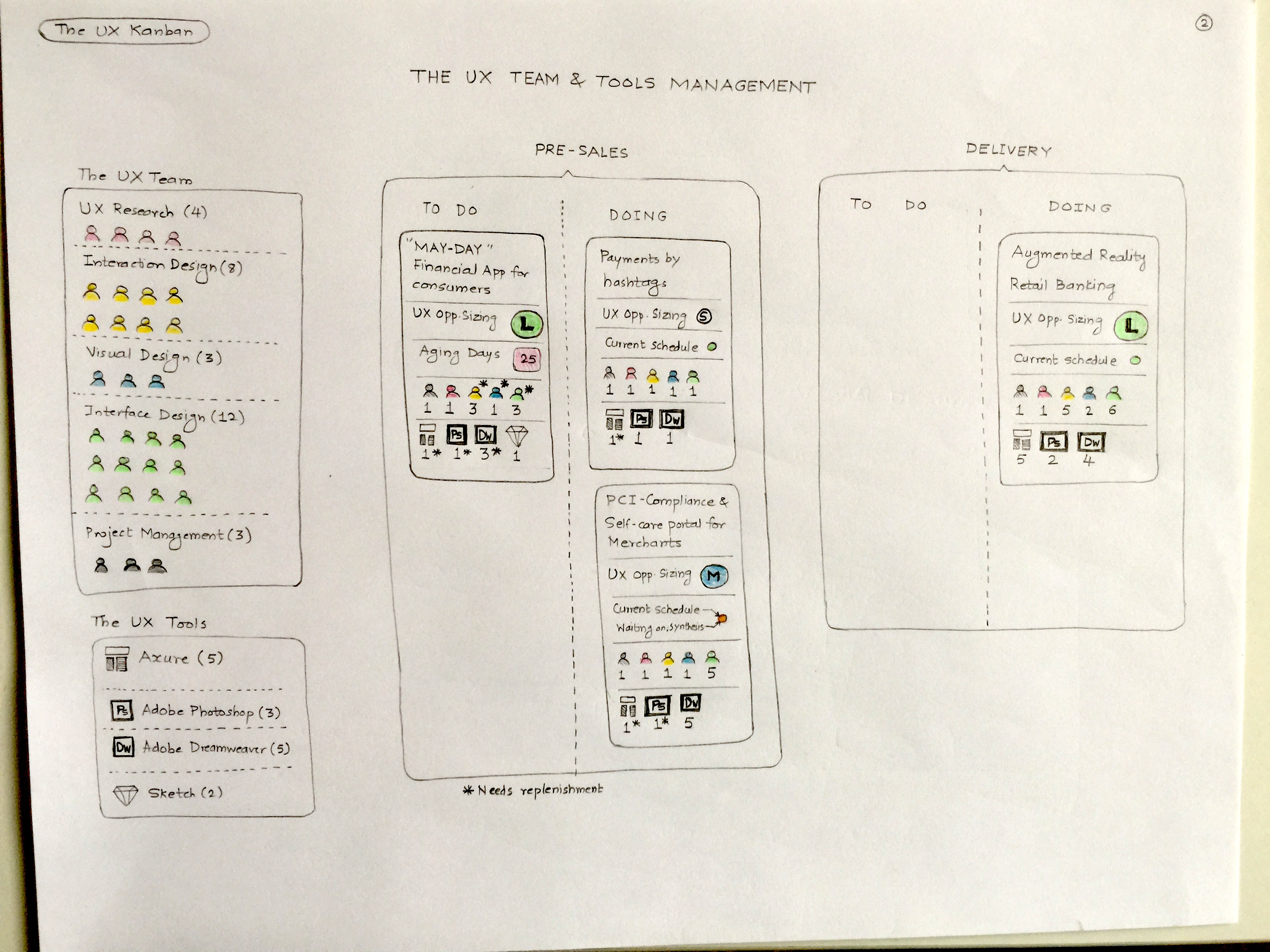
The team and tools view

The team and tools view

The third sketch shows the Kanban cards the UX team members would receive as work queues. They will get a precise description of what needs to be delivered, how and when.
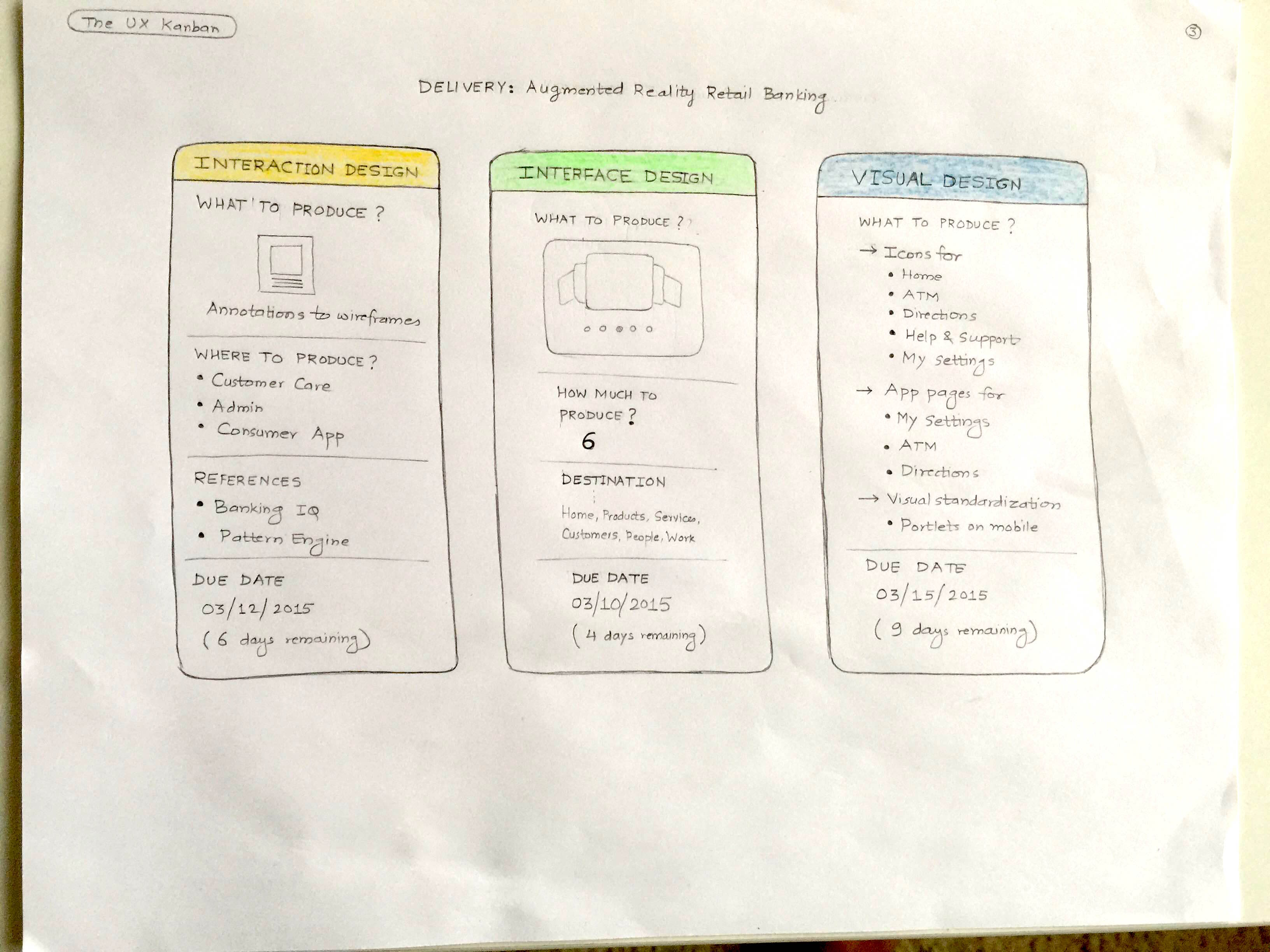
The UX delivery view

The UX delivery view

If you tie these three sketches together, it could lead you to a system of UX team management – a web tool or an iPad app (if you visualize). Who does not want some structure to the maverick team :)?

Audiobooks

If you have read the Tolkien classic ‘The Hobbit’, chances are that you have seen the Hobbit movies too. Would you head to an audiobook that narrates the book? If you do, would you buy a book from an audiobook company?

The digital publishing industry is made up of e-books and audiobooks. They complement, not compete with the traditional books. Audiobooks offer different kind of experience – you can hear the books on the walk, on the drive, while cooking or any other activities that do not ‘demand’ attention.

I recently reviewed an audiobook application and bought an audiobook. The app experience was underwhelming and I was amazed to see the difference of treatments to the Android app vis-a-vis the iPhone app. So, here is my design concept that will give an enhanced experience of an audiobook app.

Audiobook Mindmap

Audiobook Mindmap

Audiobook Concept Page 1

Audiobook Concept Page 1

Audiobook Concept Page 2

Audiobook Concept Page 2

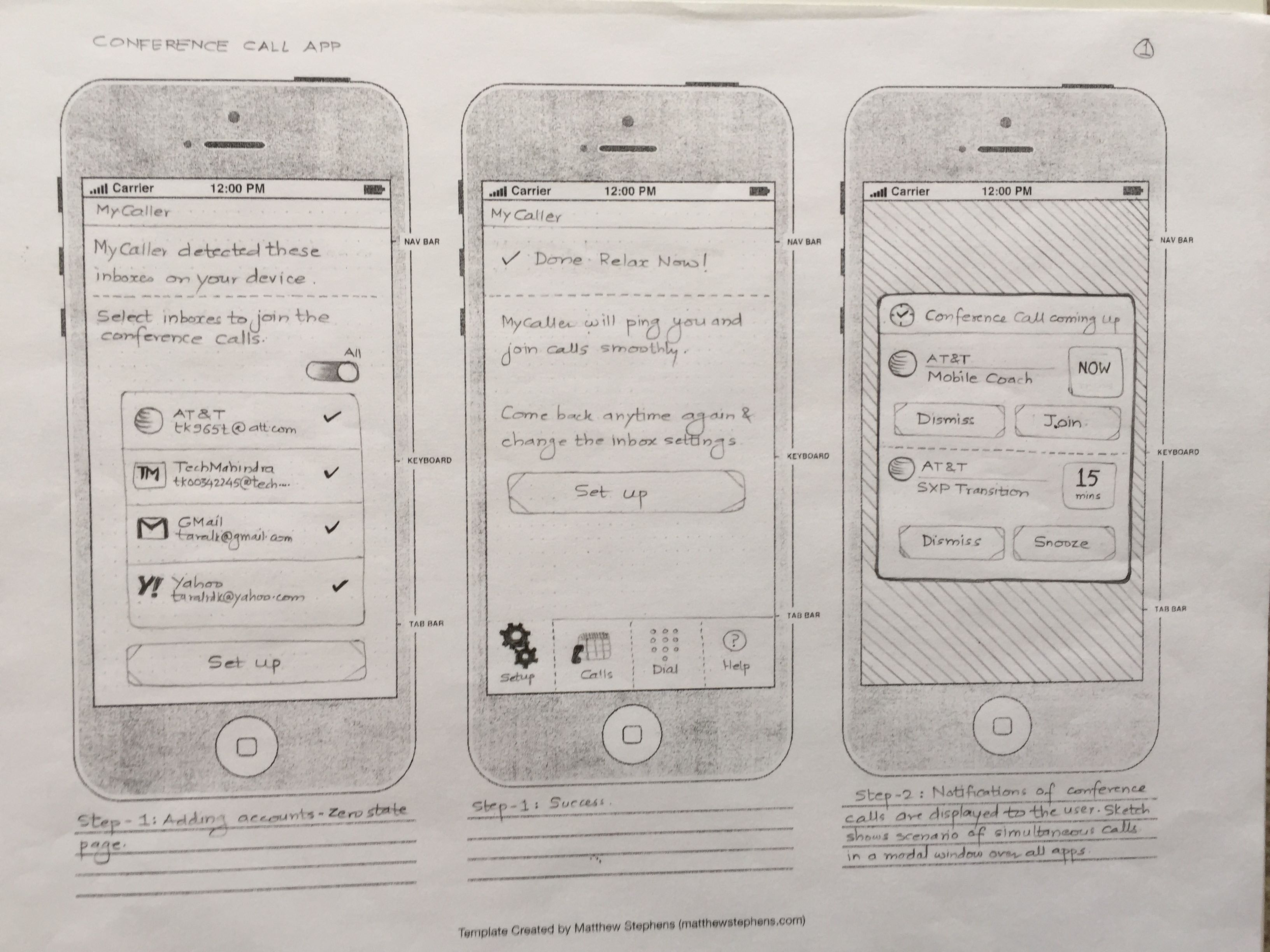
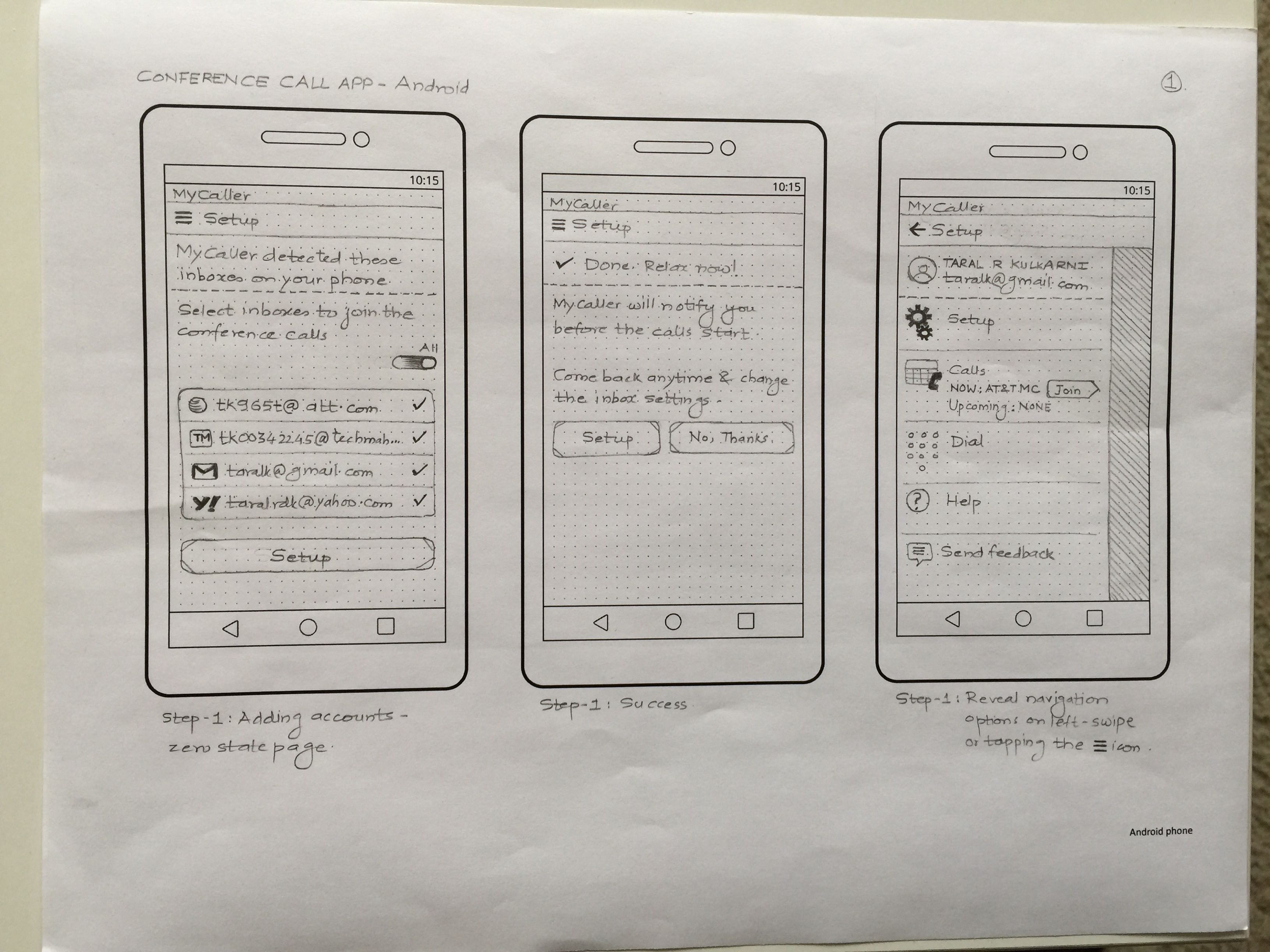
The Conference Calls

How does your average work day look like – are you engaged in office calls / conference calls? Twice, thrice to the max? As your responsibilities increase, you daytime is divided mostly in the calls. You don’t keep a count of the calls, you just join them.

The app that I am presenting is in the works, it will be launched soon. The app will help the user to join calls over voice and Wi-Fi calling.

This app takes away the pains of joining the conference calls – once it is installed on your mobile it scans the inboxes, collates the calendar invites and keeps a sequence of conference calls ready to join. It prompts you before the call, dials in 10 digit toll free / call numbers, pin codes automatically (dials intelligently the country codes as per your phone number). It gives you an advance information about upcoming calls.

If you want to patch in someone, it gives you a dialer / recent calls / favorites list to call and allows you to merge the calls. Its coming on iPhone, Android and Apple Watch.

iPhone App - Page 1

iPhone App – Page 1

iPhone App - Page 2

iPhone App – Page 2

iPhone App - Page 3

iPhone App – Page 3

Android App - Page 1

Android App – Page 1

Android App - Page 2

Android App – Page 2

Android App - Page 3

Android App – Page 3

Android App - Page 4

Android App – Page 4

Apple Watch App

Apple Watch App